Olymptrade Multi-Accounts Feature: What It Is and Key Benefits
Writen By

Online Trading Platform Researcher and Guide Writer
Researches broker platforms and trading account Systems.
Keeping different trading strategies, risk profiles, or personal versus business portfolios separate is a common challenge for active traders. Without clear account separation you can lose track of P&L, mix funds intended for different purposes, and complicate withdrawal or tax processes. New users often try to manage everything from a single balance and then face confusion when switching between demo and live, comparing results, or allocating funds for automated systems.
Olymptrade’s multi-accounts feature addresses that by letting a single user manage multiple trading accounts under one profile — for example separate demo and live wallets, accounts for different strategies, or distinct currency balances. The main benefits are isolated balances and histories, easier performance tracking, customizable risk settings per account, and quicker switching without repeated logins. Note that each account may require its own verification and follow funding and withdrawal rules, so plan transfers and compliance checks before you create additional accounts.
Olymptrade’s multi-accounts feature addresses that by letting a single user manage multiple trading accounts under one profile — for example separate demo and live wallets, accounts for different strategies, or distinct currency balances. The main benefits are isolated balances and histories, easier performance tracking, customizable risk settings per account, and quicker switching without repeated logins. Note that each account may require its own verification and follow funding and withdrawal rules, so plan transfers and compliance checks before you create additional accounts.

What is the Multi Accounts Feature?
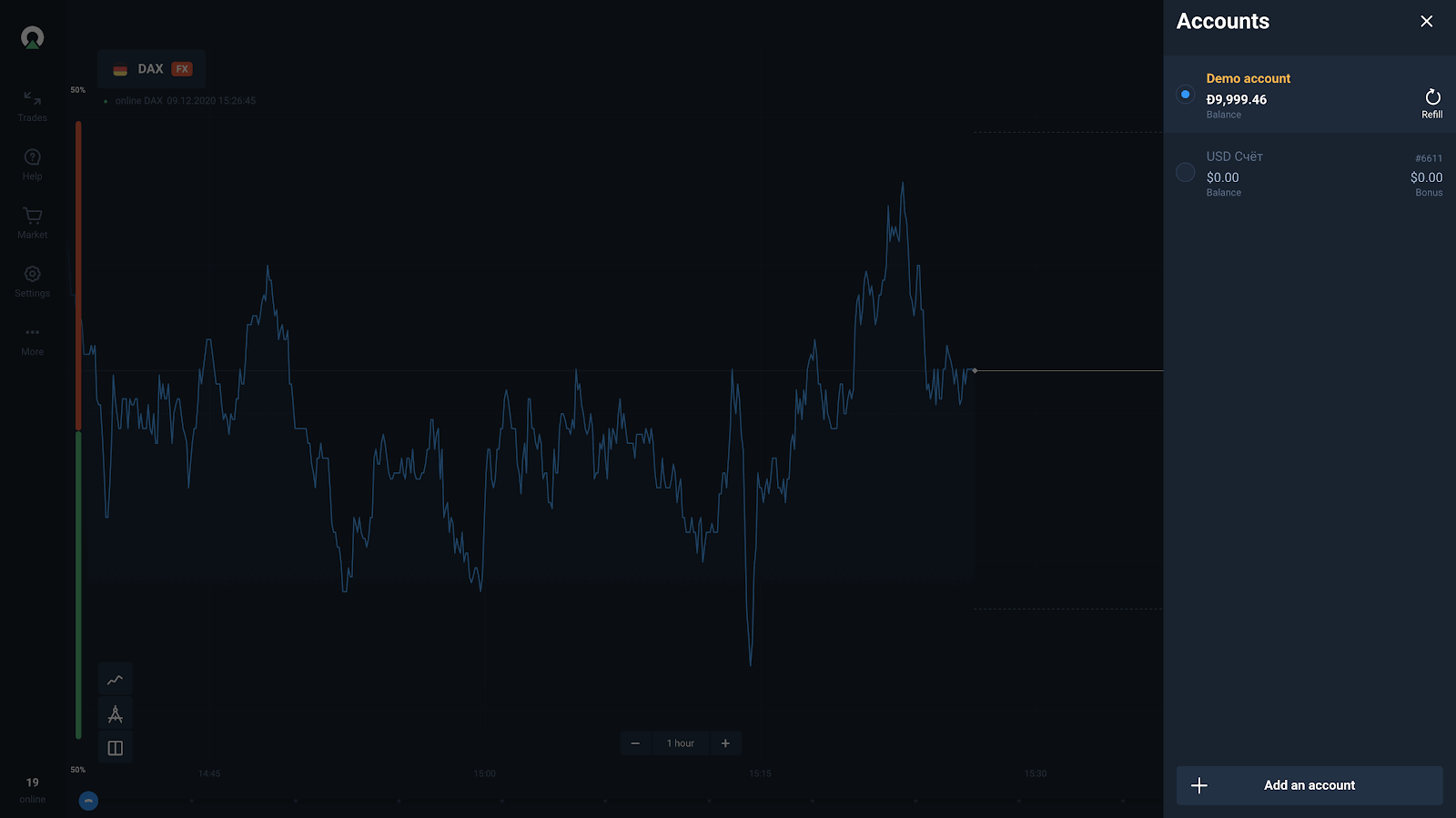
It is an addition to our platform that allows users to have up to 5 interconnected accounts. Each additional account will use the currency that you’ve chosen while creating your main account (EUR, USD, BRL). Each account will have a unique number that users will be able to see in the Accounts menu where all accounts are listed.
What Benefits Does It Offer?
Now, that we know what multi accounts are, it is time to see what it has to offer to you. There are few upsides to using multiple accounts instead of just one:
- You can have a separate account for different trade mods.
- If it is more convenient, you can have a separate account for different payment methods (all payment methods will still be available).
- Check out how profitable your strategy is by devoting an account to it.
- To better manage your profits, you can make an account to store them.
- When withdrawing and depositing, you can select the required account from the special account menu.
How to Add an Account?
Once you’ve chosen your currency and registered your main account, you can easily add another one. To do so, you need to follow these steps:
- Open an Accounts menu.
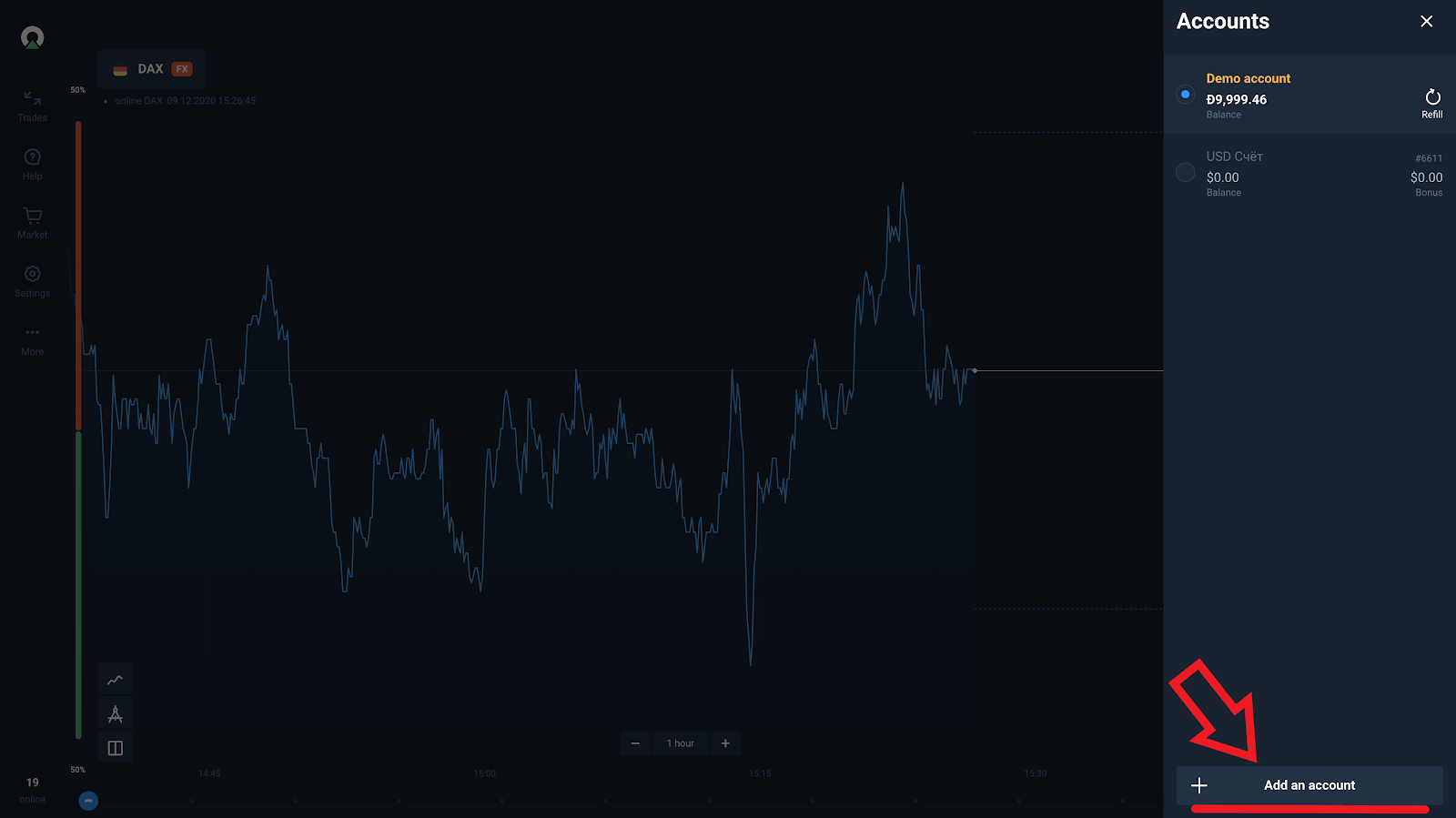
- On the bottom of it, click on the “Add an account” button.
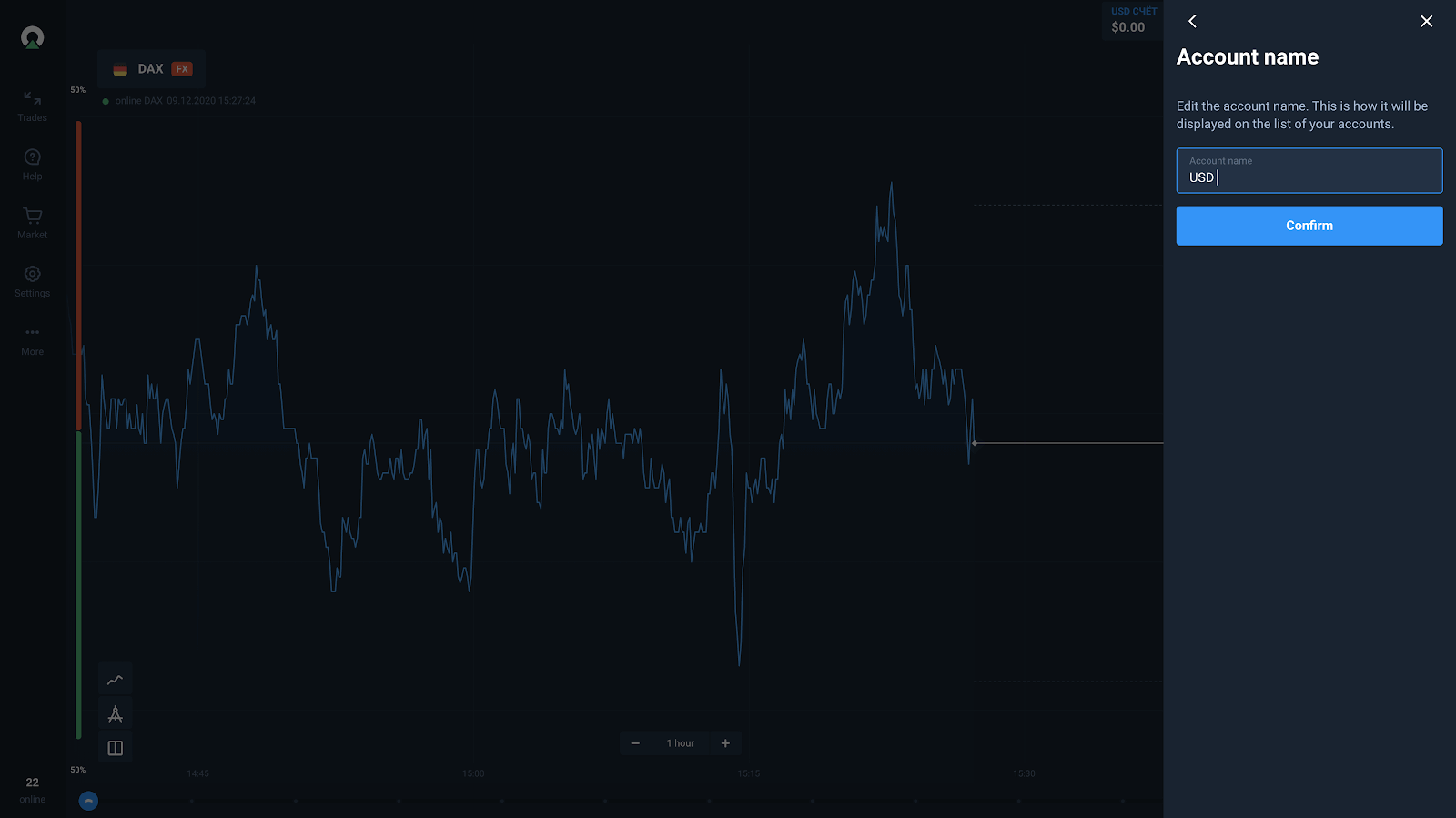
- Name your account.
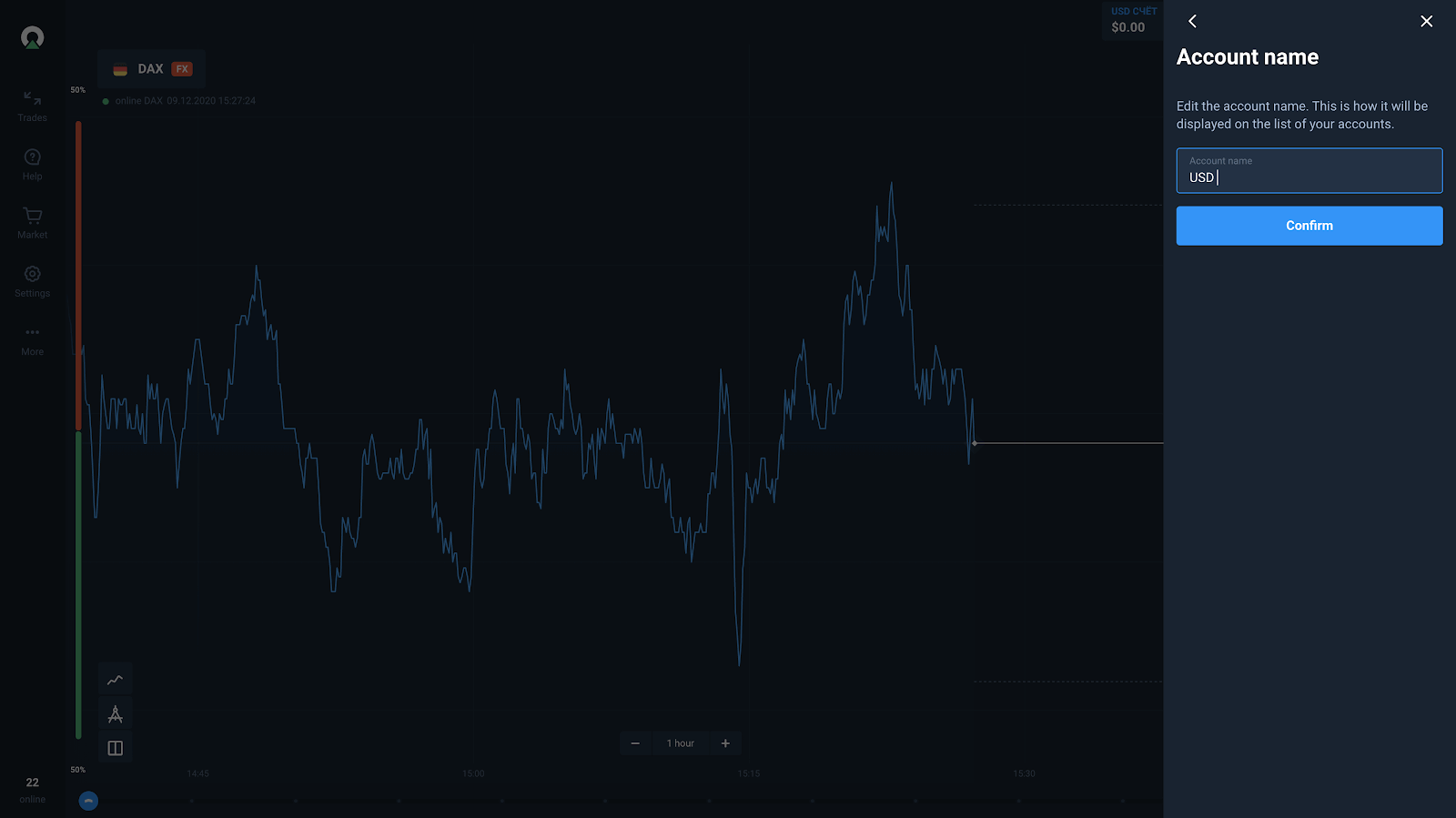
- Accept the currency you use (for now, you can’t change it).
How to Manage Multi Accounts?
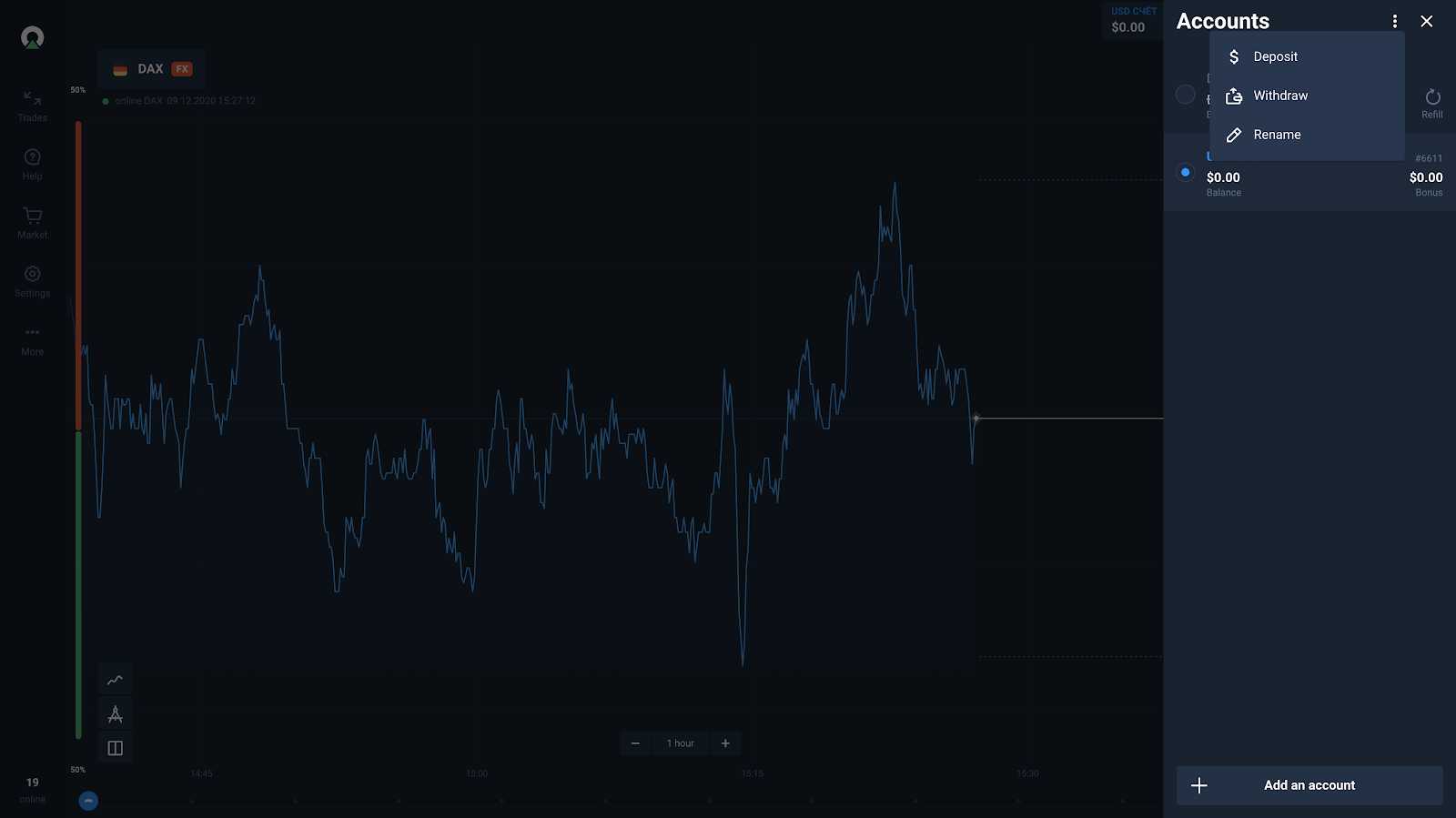
All your accounts are available in the special accounts menu. At the moment, you can use your accounts in many ways, from storing your profits to trying out strategies, to using specific trading modes without sacrificing any flexibility.
In addition to that, you can rename your account to be able to discern them better. In the future, more options of multi accounts management can be added.
FAQs
The multi-accounts feature lets one user maintain separate trading accounts under a single profile — typically for demo vs live use, different strategies, or distinct currency wallets. It suits traders who need clean performance records, strategy isolation, or separate funding for tax or organizational reasons.
From your account dashboard use the profile or account settings menu to add a new trading account, select the account type (demo or live), complete any required verification, and fund that account. To switch, open the account selector in the header or settings and choose the desired account. If you don’t see these options, verify your profile or contact support.
Yes — minimum deposits, accepted payment methods, and funding limits can apply per account and vary by region and payment provider. Some accounts may require separate funding or meet a minimum balance before trading; check the platform’s funding rules or ask support for precise limits applicable to your account.
Common causes include pending verification (KYC), account restrictions, regional limits, or session issues in your browser/app. Troubleshoot by confirming each account’s verification status, logging out and back in, clearing cache or updating the app, and ensuring no account holds or compliance flags exist. If the problem persists, submit screenshots to customer support for a review.
Balances are usually isolated per account, and withdrawals typically follow the funding and KYC rules for the specific account. Internal transfers between accounts may be restricted. Each account should meet verification and security requirements (2FA, unique passwords) before withdrawals are allowed. Always confirm withdrawal routing and compliance rules for every account to avoid delays.